AI Studio: Build Your Website With AI
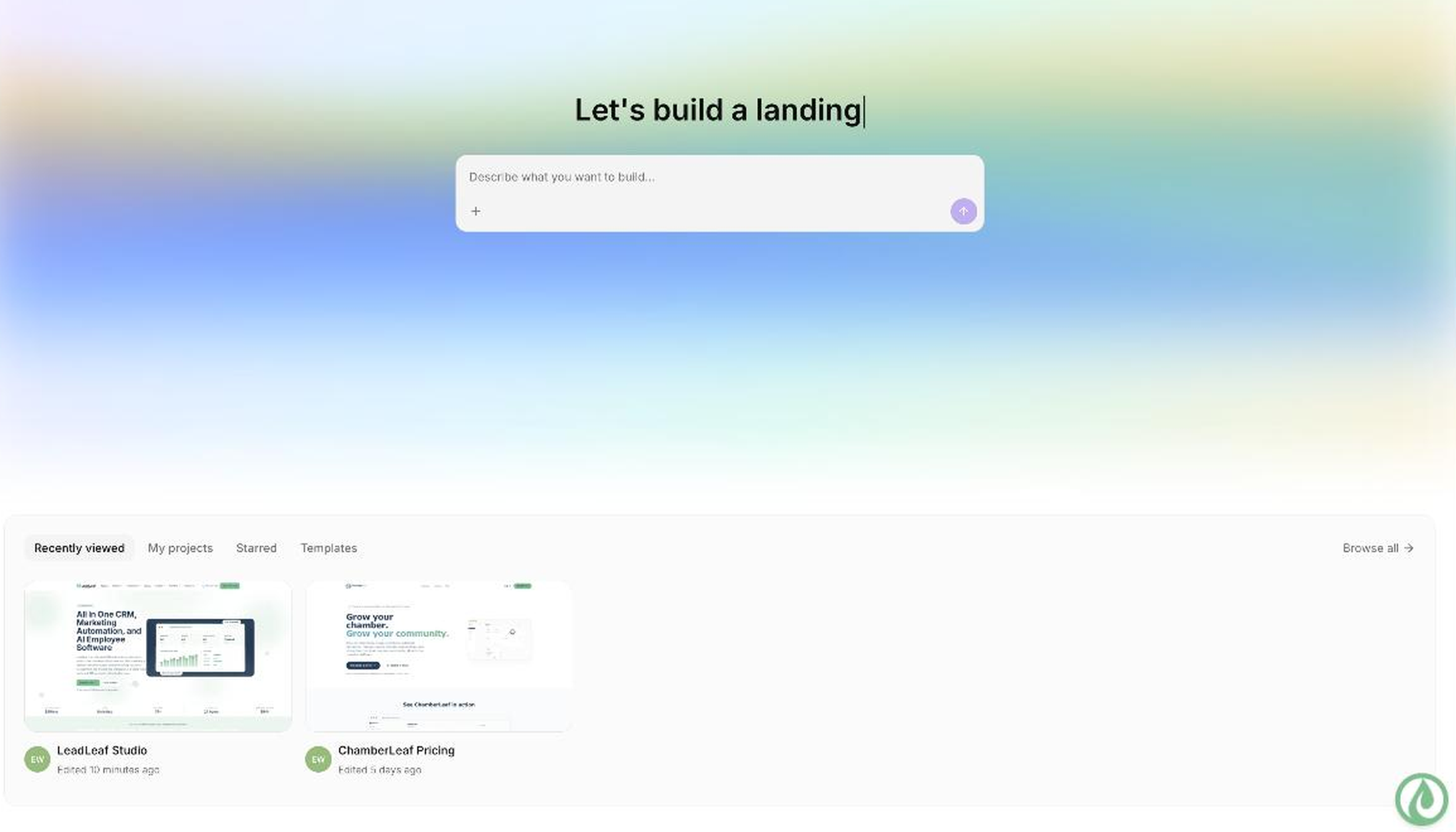
AI Studio is the built in AI website and funnel builder in LeadLeaf. You describe the site you want in plain English and AI Studio writes the copy and builds the actual pages for you. You keep refining it by chatting with it until every section is right, then publish with forms, bookings, and chat connected to your CRM.
 Build by prompt: Describe your site in plain EnglishRefine by chat: Keep chatting to update pagesFull edit access: Drag and drop editor after generationCRM connected: Forms and bookings feed your pipelineUnlimited sites: Build as many as you needPremium plan: $0 per month
Three steps from idea to live site
1. Describe
Type a description of your business and the pages you need. Mention your services, location, and tone. AI Studio uses this to plan your site.
2. Generate
AI Studio writes the copy, builds the layout, and assembles the pages. You get a working site with sections, forms, and booking calendars in seconds.
3. Refine
Chat with AI Studio to change headlines, swap sections, adjust colors, or add pages. Every prompt updates the site, and you can fine tune with the drag and drop editor.
See a prompt and the AI response
Here is an example of how you talk to AI Studio and what it builds back.
Before and after AI Studio
What a blank page looks like before, and what AI Studio produces from one prompt.
Before
Blank canvas. No copy, no layout, no pages.
After
AI Studio chat
Serving Greater Pittsburgh
Fast, reliable heating and cooling
Installs, repairs and maintenance plans from a local, licensed crew.
Installs
Repairs
Maintenance
"Same day repair, fair price." - Jamie R.
Maintenance Plans
Basic
$15/mo
Plus
$29/mo
Pittsburgh HVAC Experts · Licensed & Insured · (412) 555-0134
What is AI Studio?
AI Studio is the AI website and funnel builder built into LeadLeaf. Instead of starting with a blank canvas and dragging blocks onto a page, you describe what you want in plain English and AI Studio generates the pages for you. It writes the headlines, body copy, and calls to action, lays out the sections, and connects forms and booking calendars to your CRM. You stay in control the entire time and can edit anything it produces.
How does building a site by prompt work?
You type a prompt that describes your business, your services, and the pages you need. AI Studio reads the prompt, plans the site structure, and generates each page with copy and layout. The result is a working site you can preview immediately. If a section is not right, you send another prompt and AI Studio updates that section. You can go back and forth as many times as you need, and every change updates the live preview.
Plain English promptsCopy and layoutLive previewBuild a landing page for my landscaping company with a booking form and a services section.
Premium Landscaping
Expert lawn care and design. Book your free estimate today.
What can you build with it?
AI Studio builds marketing sites, landing pages, multi step funnels, membership areas, and client portals. A marketing site might have a home page, services, about, and contact. A landing page can be a single campaign page with a form and a booking calendar. A funnel can be a multi step sequence that collects leads and books appointments. Membership areas and client portals let you deliver content behind a login. Every page type includes built in forms, booking, and payment buttons.
Marketing sitesSales funnelsMembership portalsHow is it different from a drag and drop builder?
A drag and drop builder gives you a blank canvas and a set of blocks. You do the work of placing every section, writing every headline, and choosing every layout. AI Studio does that work for you. You describe the outcome and it assembles the page. The drag and drop editor is still there after generation, so you can fine tune anything AI Studio produces. The difference is where you start: from a prompt instead of a blank page.
Start from a promptNot a blank canvasDrag and drop afterDrag and drop
Blank canvas
AI Studio
Premium Landscaping
Expert lawn care and design.
Can you edit what it builds?
Yes. After AI Studio generates your pages, you can open the drag and drop editor and change anything. Edit text inline, swap images, move sections, add new blocks, or delete what you do not need. You can also keep chatting with AI Studio to refine specific sections without touching the editor yourself. Both approaches work together, so you can prompt for big changes and manually edit the details.
Inline text editingChat to refineMove and add blocksHow does it connect to the rest of LeadLeaf?
Every page AI Studio builds is a LeadLeaf page, which means forms, bookings, payments, and chat are connected from the start. A form submission creates or updates a contact in your CRM. A booking adds an appointment to your calendar and the contact record. A payment records the invoice. The AI Chatbot can be added as a widget on any page. Nothing needs to be wired up separately, because AI Studio uses the same platform as the rest of LeadLeaf.
Forms feed CRMBookings sync calendarPayments to invoicesLeads flow straight into pipelines and workflows
Which plan includes AI Studio?
Unlimited websites and funnels are included in the Premium plan at $499 per month. The Starter and Professional plans do not include the website and funnel builder. Upgrade to Premium to build and publish unlimited sites with AI Studio.
Starter
$99 per month
Professional
$299 per month
Premium
$499 per month
AI Studio FAQ
Build your website with AI
Describe it in plain English. AI Studio builds the pages. Unlimited sites on the Premium plan at $499 per month.