CRM and Pipelines: Manage Every Lead From First Contact to Close
LeadLeaf CRM and pipelines give you a single system to track every contact, manage unlimited sales pipelines, and move leads from first inquiry to closed deal. Starting at $99 per month with unlimited users and unlimited contacts.
 Unlimited pipelines on every planUnlimited contacts and unlimited usersMissed call text back includedDrag and drop deal stages
How does the LeadLeaf CRM work?
Every contact, conversation, note, and deal lives in one record. When a lead fills out a form, sends a text, replies to an email, or calls your business, the activity is logged on their contact timeline automatically. Your team sees the full history before they respond, so no one asks a lead to repeat themselves. Unlimited users means your entire team can log in and work inside the CRM without a per seat charge.
Every contact conversationLead fills outTeam sees theCan I build unlimited pipelines?
Yes. You can create separate pipelines for different services, locations, or sales processes. Each pipeline has its own stages, automations, and reporting. A lawn care company can run one pipeline for weekly maintenance, one for one time cleanups, and one for snow removal, all inside the same account.
Create separate pipelinesPipeline has itsLawn care companySarah Chen
HVAC Install
$2,400
Mike R.
Repair
$850
Tom Wilson
Tune Up
$1,100
Lisa K.
Install
$3,800
D. Foster
Complete
$4,500
What is missed call text back?
When a customer calls and you cannot answer, LeadLeaf sends an automatic text reply within seconds. The text acknowledges the call and offers to help or book an appointment. This turns a missed call into a captured lead instead of a lost customer who dials the next business on Google.
Customer calls andText acknowledges theTurns a missedMissed call from (412) 555-0176
Rang 4 times, no answer
How do pipelines connect to automation?
Moving a deal to a new stage can trigger a workflow. A lead moved to the Booked stage can automatically receive a confirmation text, a calendar invite, and a reminder set for the day before. You build the pipeline once and the follow up runs on its own, so nothing slips through the cracks.
Moving a dealLead moved toBuild the pipelineLead fills out contact form on website
"Hi Sarah, thanks for contacting LeadLeaf! How can we help you today?"
Send booking link if no response received
Can I track deals by source and owner?
Yes. Every deal carries its source, its owner, and its value. You can filter the pipeline by source to see which channels produce the best leads, and assign owners so every deal has a person responsible for it. Reporting shows you win rates by owner and by source without any manual math.
Every deal carriesFilter the pipelineReporting shows youWhich plan includes crm & pipeline management?
See which LeadLeaf plan crm & pipeline management is included on.
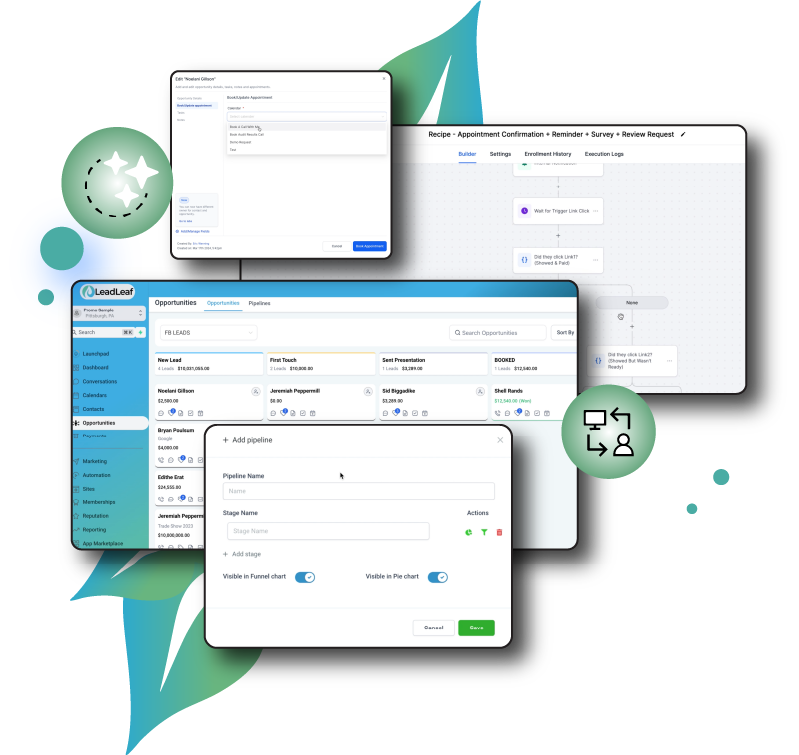
CRM & Pipeline Management in action
A live view of the crm & pipeline management interface inside LeadLeaf.
Related features
These features work alongside crm & pipeline management in the same platform.
2-Way SMS Marketing
LeadLeaf 2-way SMS marketing lets you text leads from a single inbox, send bulk campaigns, and automate missed call text back replies.
Learn moreCalendar & Appointments
LeadLeaf calendar and booking gives customers a self-service booking page that syncs to Google and Outlook, sends automated reminders, and writes every appointment to the CRM contact record.
Learn moreWorkflow Automation
LeadLeaf workflow automation lets you connect triggers to multi-step actions across SMS, email, pipelines, and calendars, so follow up runs without manual work.
Learn moreCRM & Pipeline Management FAQ
Start your 14 day free trial today
14 day free trial with unlimited users. Plans start at $99 per month.