Email Marketing: Newsletters and Automated Drips From One Builder
LeadLeaf email marketing lets you send newsletters and automated drip campaigns from a drag and drop builder, with every email tied to the same CRM contact record. Included on every plan starting at $99 per month.
 Drag and drop email builderAutomated drip campaignsSegment by any contact fieldTied to the CRM contact record
How does email marketing
in LeadLeaf work?
The email builder uses a drag and drop block editor, so you build a newsletter by stacking text, images, buttons, and dividers. Every email is tied to the CRM contact record, so opens, clicks, and replies are logged on the contact timeline automatically. You can send a one off broadcast or schedule a recurring newsletter.
Email builder usesEvery email isSend a oneSubject line
Preview text
Recipients
Email blocks
Can I automate email sequences?
Yes. Workflow automation lets you build drip sequences that send on a schedule or based on engagement. A new lead can receive a welcome email immediately, a follow up email two days later, and a booking reminder five days after that. Branching sends different emails based on whether the lead opened or clicked.
Workflow automation letsNew lead canBranching sends differentLead fills out contact form on website
"Hi Sarah, thanks for contacting LeadLeaf! How can we help you today?"
Send booking link if no response received
How do I segment my list?
You can segment by any contact field, tag, or behavior. Build a segment of leads who opened the last three emails but did not book, or customers who have not purchased in 90 days. Segments update automatically as contact data changes, so your targeting stays accurate without manual list maintenance.
Segment by anyBuild a segmentSegments update automaticallyMatching Contacts
184 Selected
Does email marketing connect to the rest of the platform?
Every email is part of the same CRM. A click on an email can trigger a text message, move a pipeline stage, or add a tag. You do not export or import lists between tools, because the email tool and the CRM share one database.
Click on anExport or importDrag and drop builderSarah Johnson
sarah@acmeco.com
Opened
9:02 am todayClicked link
9:03 am todayReplied to email
11:40 am todayPipeline moved to Follow-up
11:41 am todayEvery open, click, and reply logs to this contact record automatically — no manual data entry.
Can I see who opened and clicked?
Yes. Open and click activity is logged on each contact record and rolled up into campaign reports. You can see which contacts engaged and follow up with the ones who did not, directly from the report.
Open and clickSee which contactsUnlimited users68%
Open Rate
24%
Click Rate
184
Recipients
Sarah Johnson
sarah@acmeco.com
Mike Torres
mike@torresllc.com
Lisa Chen
lisa@chenbuild.com
Dave Wilson
dave@wilsonpro.com
Which plan includes email marketing campaigns?
See which LeadLeaf plan email marketing campaigns is included on.
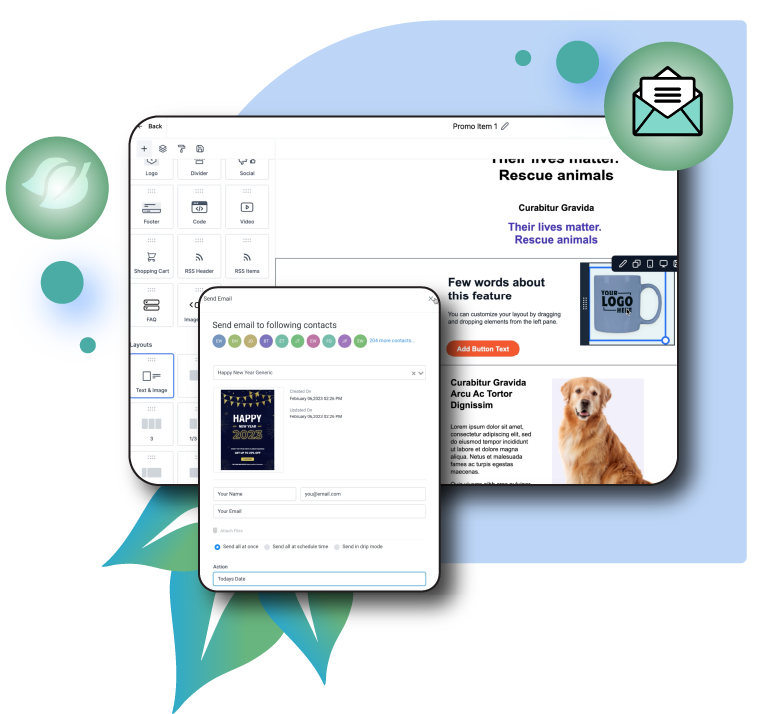
Email Marketing Campaigns in action
A live view of the email marketing campaigns interface inside LeadLeaf.
Related features
These features work alongside email marketing campaigns in the same platform.
CRM & Pipeline Management
LeadLeaf CRM and pipelines give you a single system to track every contact, manage unlimited sales pipelines, and move leads from first inquiry to closed deal.
Learn more2-Way SMS Marketing
LeadLeaf 2-way SMS marketing lets you text leads from a single inbox, send bulk campaigns, and automate missed call text back replies.
Learn moreWorkflow Automation
LeadLeaf workflow automation lets you connect triggers to multi-step actions across SMS, email, pipelines, and calendars, so follow up runs without manual work.
Learn moreEmail Marketing Campaigns FAQ
Start your 14 day free trial today
14 day free trial with unlimited users. Plans start at $99 per month.